There is one question every business asks before putting an AI chatbot on their website: “What if it makes something up and embarrasses us in front of a customer?” It is the right question. A chatbot that confidently invents a refund policy, quotes a price that does not exist, or promises a feature you do not offer is worse than no chatbot at all.
The good news: hallucinations are not a mysterious, unfixable flaw of AI. They are a predictable result of how a chatbot is built — and when you build it the right way, accuracy becomes something you can engineer, measure, and trust. This guide explains, in plain English, why chatbots make things up, what it means to “ground” a bot in your knowledge base, and seven concrete ways to make your AI knowledge base chatbot accurate — no code or data-science degree required.
TL;DR
- Chatbots hallucinate when they answer from general training data instead of your content — they fill gaps with plausible guesses.
- Grounding (RAG) is the fix: retrieve from your knowledge base first, then answer only from what was retrieved.
- Seven levers drive accuracy: clean content, scope to your KB, answer-from-source, graceful “I don't know,” citations, fresh sync, and low-confidence handoff.
- Measure it like any metric: resolution rate, thumbs up/down, and citation coverage — then fix the content behind the failures.
- BuiltABot grounds every answer in your docs and site by default. Start free — plans from $29.99/month.
Why AI Chatbots Hallucinate
A raw large language model is trained on an enormous slice of the public internet. That makes it fluent, but it also means it “knows” a blurry average of everything — and nothing specific about your business. Ask it about your return window and it does not look anything up; it predicts the most likely-sounding sentence based on patterns it learned. When those patterns do not include your actual policy, it produces something that reads correct and is wrong. That is a hallucination: not a lie, just a confident guess with no source behind it.
This is also why “just use a smarter model” does not solve the problem. A more capable model guesses more fluently, which can make wrong answers harder to spot, not easier. The real fix is not a better guesser — it is removing the need to guess at all by giving the bot your content to answer from. If you want the deeper background on why trust breaks down, our breakdown of the chatbot trust gap covers the data.
What “Grounded on Your Knowledge Base” Means
“Grounded” is the single most important word in accurate chatbots. A grounded assistant does two things in order:
- Retrieve. When a question comes in, it searches your knowledge base — your website, help docs, PDFs, policies — and pulls the handful of passages most relevant to that question.
- Answer from source. It then writes its reply using only those retrieved passages as the facts, instead of its general memory.
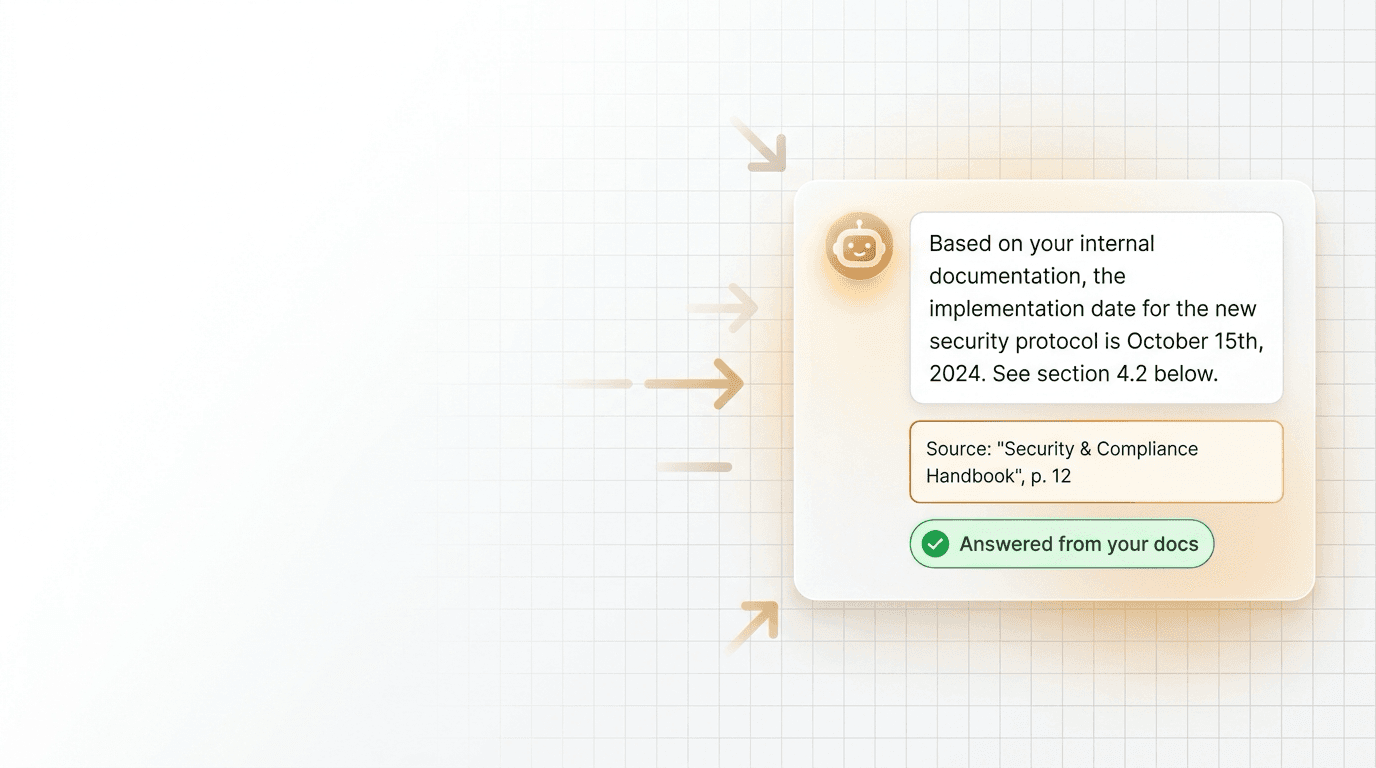
That two-step pattern is called Retrieval-Augmented Generation (RAG), and it is the difference between a bot that recites your policies and one that improvises them. When the answer must come from a retrieved passage, there is no room to invent — if the passage does not exist, the bot has nothing to cite and should say so. Grounding is what turns a chatbot from a confident stranger into a well-briefed member of your team. The practical build steps live in our guide to a knowledge-base chatbot that actually resolves.
Build a chatbot that answers only from your content
BuiltABot grounds every reply in your website, docs, and files by default — no hallucination settings to wrestle with. Point it at your content and watch it answer accurately. Free for 14 days.
7 Ways to Make Your KB Chatbot Accurate
Grounding is the foundation; these seven practices are how you push accuracy from “mostly right” to “trustworthy in front of customers.”
- Clean your source content first. A bot can only be as accurate as the material it retrieves. Remove outdated pages, fix contradictions (two different refund windows on two pages will produce two different answers), and make sure the correct answer actually exists somewhere in writing. Garbage in, confident garbage out.
- Scope it to your knowledge base. Configure the assistant to answer from your content only, not the open internet. Scoping stops the bot from wandering into general knowledge where your specifics get overwritten by averages.
- Answer from source, not from memory. Require that every factual claim map to a retrieved passage. If there is no supporting source, the bot should not assert the fact — this one rule eliminates most invented policies and prices.
- Make “I don't know” a feature, not a failure. An accurate bot knows its edges. Configure a graceful fallback — “I'm not certain about that, let me connect you with our team” — so an unknown becomes an honest handoff instead of a fabricated answer. Customers trust a bot that admits limits far more than one that bluffs.
- Show citations. Display the source behind each answer. Citations let customers verify instantly, let you audit quality at a glance, and structurally discourage the bot from claiming anything it cannot point to.
- Keep the knowledge base fresh. Accuracy decays the moment your content changes and the bot's does not. Re-sync when you update pricing, policies, or products so the bot never answers from a stale snapshot. If your source is your website, use a crawler that re-reads it on a schedule.
- Hand off on low confidence. When retrieval is weak or the question is ambiguous, route to a human instead of forcing an answer. A clean escalation trigger protects accuracy exactly where bots are weakest — the long tail of unusual questions.
None of these require touching a vector database or writing code. They are decisions about content and rules — which is why a non-technical owner can run them.
How to Measure Accuracy
“Is it accurate?” is not a yes/no — it is a number you watch and improve. Track three things:
- Resolution rate — the share of conversations the bot handles correctly and completely without a human. This is the headline accuracy metric. Industry analysts have flagged that many bots resolve only a fraction of questions; a grounded bot with clean content beats that range, and you can prove it with your own data.
- Thumbs up/down (satisfaction) — a one-tap signal on each answer that surfaces the specific replies customers found wrong or unhelpful, so you know exactly which content to fix.
- Citation coverage — the share of answers that cite a real source. Low coverage is an early warning that the bot is reaching beyond your knowledge base.
Review these weekly, then do the one thing that compounds: for every failed or thumbs-down answer, fix the content behind it — add the missing page, correct the contradiction, clarify the policy. Accuracy improves fastest when you treat failures as content gaps, not model flaws. For the numbers behind why this matters to buyers, see our breakdown of the chatbot trust gap and how to beat it, and compare approaches in our AI knowledge base software comparison.
How BuiltABot Grounds Every Answer
BuiltABot is built around grounding, so accuracy is the default rather than a setting you have to discover. You point it at your website, help docs, PDFs, and files; it retrieves from that content and answers from what it finds. There is no “turn off hallucinations” toggle because the architecture — retrieve first, answer from source — is doing that job on every message.
- Grounded by default — replies come from your retrieved content, not generic training.
- Scoped and citable — it answers within your knowledge base and can show where an answer came from.
- Honest edges — low-confidence and out-of-scope questions hand off cleanly to your team instead of being guessed.
- Stays fresh — re-read your sources as your business changes so answers never go stale.
The result is a chatbot you can put in front of customers without holding your breath — one that answers like someone who actually read your documentation, because it did. Setup is no-code and takes an afternoon.
Frequently Asked Questions
Can AI chatbots be trusted for customer support?
Yes — but trust comes from how the chatbot is built, not from the model alone. A general AI model answers from everything it absorbed during training, which is why it can sound confident and still be wrong about your business. A knowledge-base chatbot is different: it retrieves the relevant passages from your own content first, then writes an answer from those passages and nothing else. When it is grounded that way, scoped to your material, and configured to say 'I don't know' instead of guessing, it becomes reliable enough to put in front of real customers. The practical test is simple — ask it ten hard questions about your business and check whether every answer traces back to something you actually published.
How do I stop my chatbot giving wrong answers?
Wrong answers almost always come from one of three places: the chatbot is answering from general training instead of your content, your source material is thin or out of date, or the bot is allowed to improvise when it should decline. Fix them in that order. Ground the bot in your knowledge base so it only answers from retrieved sources, clean and expand that source content so the right answer actually exists to retrieve, and configure a graceful 'I'm not sure — let me connect you to a person' response for anything outside its knowledge. Add visible citations so you can see where each answer came from, and keep the knowledge base synced as your business changes. Do those five things and the wrong-answer rate drops sharply.
What is RAG in simple terms?
RAG stands for Retrieval-Augmented Generation. In plain English: before the AI writes a reply, it first retrieves the most relevant pieces of your own content — a help article, a policy page, a product spec — and then generates its answer using those pieces as the source of truth. Without RAG, the AI answers purely from memory and fills gaps with plausible-sounding guesses. With RAG, the answer is anchored to your documents, so it reflects what your business actually says. It is the single most important technique for making a business chatbot accurate, and it is what lets a bot cite its sources.
Does showing sources really reduce hallucinations?
It reduces them in two ways. First, requiring the bot to attach a source forces the answer to be grounded in retrieved content rather than invented — if there is no supporting passage, there is nothing to cite, which exposes a gap instead of papering over it. Second, citations let the customer (and you) verify the claim instantly, so a rare mistake gets caught rather than trusted blindly. Citations do not make an ungrounded bot accurate on their own, but paired with retrieval they turn accuracy from a promise into something you can audit on every single answer.
How accurate can an AI knowledge-base chatbot realistically be?
Accuracy is best thought of as resolution rate — the share of questions the bot answers correctly and completely without a human. Industry analysts have noted that many deployed bots resolve only a modest fraction of questions, largely because they were never properly grounded or their content was weak. A well-built, grounded chatbot with clean source material and a clear handoff for edge cases performs far better, and you can watch it climb: measure resolution rate, thumbs-up/down, and citation coverage weekly and improve the source content behind the failures. The goal is not a perfect bot on day one — it is a bot that is honestly accurate within its knowledge and honest about the edges.
Do I need a developer or data scientist to get accurate answers?
No. The techniques that drive accuracy — grounding answers in your content, scoping the bot to your knowledge base, declining gracefully, showing citations, and keeping content fresh — are product features, not a research project. BuiltABot handles retrieval and grounding for you: you point it at your website, docs, and files, and it answers from those by default. Your job is the content and the rules (what it should cover, when to hand off), not vector databases or embeddings. Most businesses stand up an accurate, grounded assistant in an afternoon.